
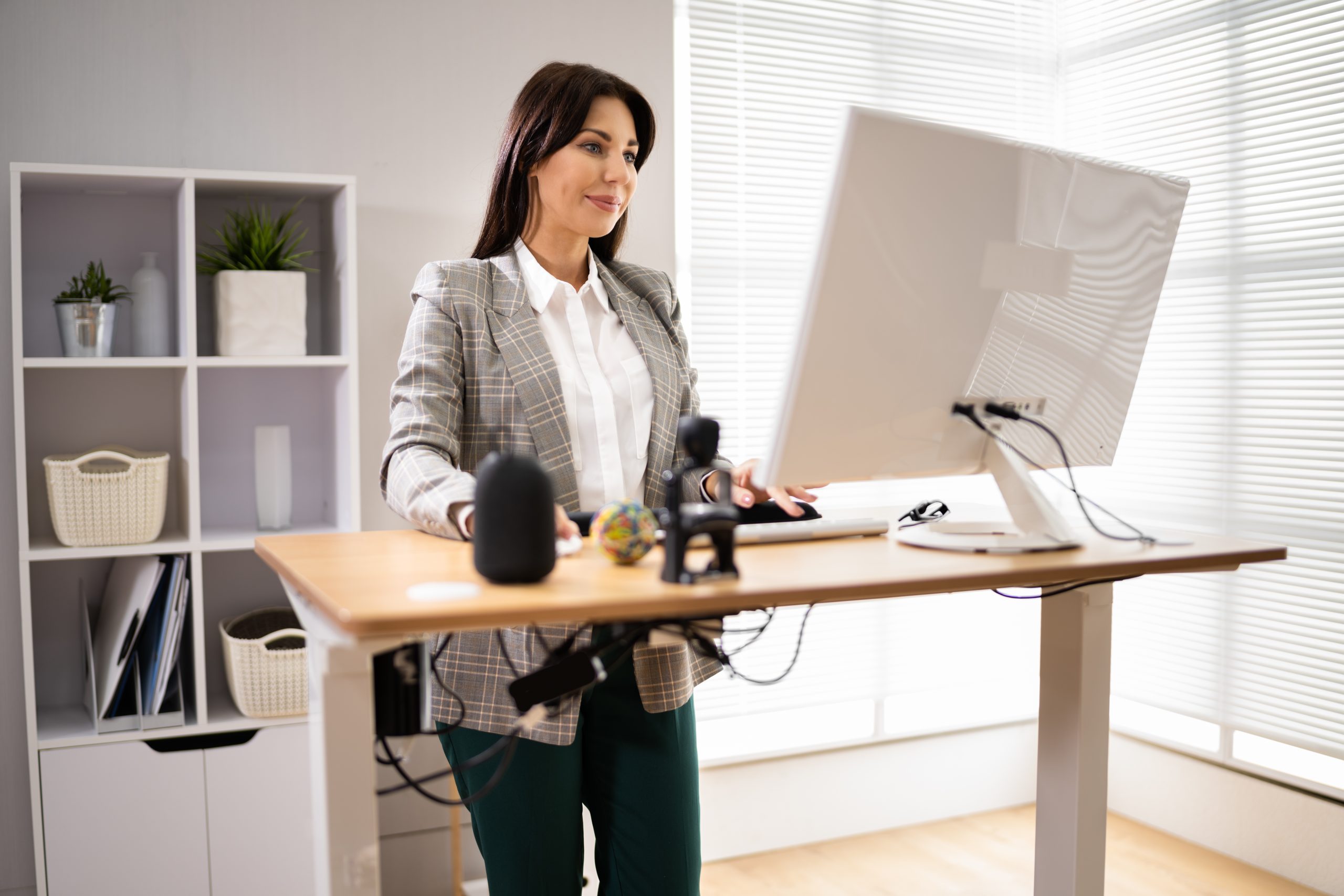
How to Use a Standing Desk Without Hurting Your Back
A standing desk can solve one obvious problem with office work:
It gives you somewhere else to go when you have been sitting too long.
What it cannot do is turn standing into exercise, automatically correct your posture, or guarantee that your back will stop hurting.
Research suggests sit-stand workstations can reduce sitting during the workday and may modestly reduce low back discomfort for some workers. Research also shows that prolonged standing can become uncomfortable, particularly for the lower back and legs. (PubMed)
The smartest way to use a standing desk is therefore contained in the name:
Sit. Stand. Change.
Sitting Is Normal
“Sitting is the new smoking” may be one of the most successful health slogans of the last decade.
It is also an inaccurate comparison.
Sitting is a normal behaviour. Smoking involves exposure to toxic substances and carries health risks that are not equivalent to sitting in a chair.
Higher amounts of sedentary behaviour are still associated with poorer long-term health outcomes.
WHO recommends that adults limit sedentary time and replace some of it with physical activity. Adults should also work toward 150 to 300 minutes of moderate-intensity aerobic activity per week, or an equivalent amount of vigorous activity, plus muscle strengthening on at least two days. (NCBI)
So the objective is not:
Never sit.
It is:
Do not let sitting become almost everything you do.
What Sit-Stand Desks Are Actually Good At
Sit-stand desks change workplace behaviour.
That is their clearest evidence-supported benefit.
A 2025 systematic review found that sit-stand desk interventions reduced workplace sedentary behaviour, although changes across the full day were less predictable. (PubMed)
A broader review of 53 studies found similar results. Sit-stand desks effectively changed sitting and standing patterns, while health improvements were smaller and less consistent. (PubMed)
That means a height-adjustable desk is best viewed as an ergonomic tool.
It creates another position.
It does not replace:
- Walking
- Exercise
- Strength training
- Appropriate medical care
- Rehabilitation
- A well-arranged workstation
Can Standing Desks Reduce Back Pain?
Sometimes.
A systematic review and meta-analysis found a small reduction in low back discomfort among workers using sit-stand workstations. The authors noted that more research was needed to determine which populations benefit most and how long people should sit or stand. (PubMed)
A randomized trial involving people with chronic low back pain also found reductions in current and worst back pain after introducing a sit-stand workstation. (PubMed)
A 2025 randomized study took the question one step further.
Workers with low back pain followed either:
- A fixed 30-minute sitting and 15-minute standing ratio
- A personalized sitting and standing schedule
Both approaches improved some pain outcomes. The fixed schedule produced larger reductions in average and worst pain in that particular study. (PubMed)
That makes alternating positions reasonable.
It does not establish one mandatory schedule for everyone.
Why Standing All Day Can Backfire
People sometimes buy standing desks and immediately try to maximize standing.
That is unnecessary.
A systematic review comparing prolonged standing with prolonged sitting during desk work found no significant reduction in perceived low back pain simply from replacing sitting with extended standing. (PubMed)
Another systematic review found that prolonged standing can produce low back and lower-extremity discomfort, with some people developing symptoms much sooner than others. (PubMed)
Occupational studies also suggest that spending very large portions of the workday standing may be associated with low back and leg symptoms. (PubMed)
Standing is another position.
It is not an antidote to sitting.
How Long Should You Stand?
There is no universal answer.
A fixed 30-minute sitting to 15-minute standing pattern has recent experimental support in workers with low back pain. (PubMed)
But the broader research still does not establish one ideal dosage. (PubMed)
Instead of forcing a schedule, start with something manageable.
For example:
Sit for a period.
When you want a change, raise the desk.
Stand for a period.
Before your feet, legs, or back become substantially uncomfortable, sit again.
Periodically leave both positions.
Walk.
You can experiment with timers if you tend to forget.
The timer is a prompt, not a medical prescription.
Your Body Does Not Need Equal Sitting And Standing Time
There is no evidence-based requirement for a 50/50 workday.
Some people prefer relatively short standing periods.
Others tolerate longer ones.
Your ideal pattern may also change according to the task.
You may prefer:
- Sitting for detailed writing
- Standing during a short meeting
- Standing while reading
- Sitting for concentrated design work
- Walking during an audio call
- Changing position when symptoms begin
A workstation that lets you respond to the task and your body is more useful than a rigid ratio.
Start With The Keyboard Height
A standing desk that is too high can create a completely new set of problems.
OSHA recommends arranging the keyboard so your:
- Shoulders remain relaxed
- Elbows stay near the body
- Forearms are comfortably positioned
- Wrists remain relatively straight
Keyboard height should generally be close to elbow height. (OSHA)
If you need to shrug your shoulders while typing, lower the desk.
If you have to reach downward dramatically, raise it.
You should not have to distort your posture because the desk came with a predetermined height setting.
Your Monitor Does Not Need To Be Perfectly At Eye Level
“Put the screen at eye level” is useful shorthand.
OSHA recommends putting the monitor directly in front of you, at least approximately 20 inches away, with the top of the screen at or slightly below eye level. The centre of the display is normally viewed with a slight downward gaze. (OSHA)
If you keep leaning toward your monitor:
- Increase font size
- Bring the screen somewhat closer
- Check glare
- Have your vision assessed when appropriate
If you constantly tilt your head backward:
- Lower the monitor
Ergonomics should solve the reason you are uncomfortable.
Avoid Building A Standing Desk Around A Laptop Alone
Laptops create a structural compromise.
Screen and keyboard are attached.
Raise the screen enough for comfortable viewing and the keyboard becomes too high.
Lower the keyboard to elbow level and the screen may sit too low.
For substantial computer work, consider:
- An external keyboard
- External mouse
- Laptop stand
- Separate monitor
- Docking station
That gives you independent control of viewing and typing height.
This is especially important with an adjustable desk because the workstation needs to fit in both sitting and standing positions.
Do You Need To Stand Straight?
You need to stand comfortably.
That is different.
There is no need to maintain one rigid posture throughout a standing session.
You can:
- Shift weight between feet
- Change stance width
- Briefly lean against the desk
- Place a foot on a support
- Move your hips
- Sit down
Those are normal position changes.
A standing desk should not turn the workday into an eight-hour posture exercise.
What About Locking Your Knees?
You do not need to consciously keep your knees bent all day.
Likewise, there is little reason to deliberately stand rigidly with the knees driven backward for hours.
Allow your legs to move naturally.
If one position feels tiring:
Change it.
Walk.
Sit.
A useful workstation promotes options rather than teaching you to hold a specific knee angle.
Is Leaning To One Side Bad For Your Spine?
Not inherently.
People commonly shift weight onto one leg.
Temporary asymmetry is normal.
If you spend a long period hanging on the same hip and it becomes uncomfortable, switch positions.
There is no need to assume the pelvis has become misaligned or that one hip is being structurally damaged.
Again, duration and comfort matter more than creating perfect visual symmetry.
A Small Footrest Can Give You Another Option
Some standing desk users like having a low footrest or step.
Resting one foot on it changes the position of the hips and lower extremities and may make standing more comfortable.
You can alternate feet as desired.
OSHA commonly recommends stable foot support when workstation dimensions otherwise leave the feet unsupported in sitting. (OSHA)
At a standing desk, using a step is a comfort strategy rather than a requirement.
It does not “decompress” the spine.
Anti-Fatigue Mats Can Help Some People
If you stand on a hard floor, an anti-fatigue mat may improve comfort.
A systematic review found a moderate level of evidence supporting cushioning materials for reducing discomfort and fatigue among workers who stand for prolonged periods. (PubMed)
A small 2022 study also found reduced low back discomfort when people prone to standing-related back pain used an anti-fatigue mat compared with a rigid floor. (PubMed)
That makes a mat a reasonable accessory.
But if standing itself is aggravating your back or legs, the first solution may be:
Sit down.
The purpose of a height-adjustable desk is that you can.
What Shoes Should You Wear At A Standing Desk?
There is no universally recommended standing-desk shoe.
A systematic review of workers exposed to prolonged standing found some evidence that cushioned materials, including insoles, can reduce fatigue or discomfort. (PubMed)
Choose footwear that:
- Fits properly
- Feels comfortable
- Suits the floor and workplace
- Does not create new foot symptoms
If you are comfortable barefoot at a home workstation and there is no occupational safety issue, there is no evidence-based requirement to wear specialized supportive footwear.
Persistent foot pain deserves its own assessment.
A Standing Desk Will Not Automatically Improve Your Posture
Standing changes posture.
That is not the same as correcting posture.
The 2019 sit-stand desk review found relatively limited evidence for meaningful posture changes compared with the much clearer effects on sitting and standing behaviour. (PubMed)
OSHA focuses instead on arranging the workstation to minimize prolonged awkward positioning and unnecessary reaching. (OSHA)
That is a better target.
You do not need to look perfect.
You need to be able to work comfortably and change position.
Movement Breaks Still Matter
Standing behind a desk for 30 minutes is different from walking for five minutes.
WHO specifically recommends replacing sedentary time with physical activity of any intensity. (NCBI)
Build movement into things that already happen.
For example:
Meeting finishes: walk briefly.
Coffee is empty: refill it.
Lunch ends: go outside.
Phone call does not require the computer: walk when practical.
Workday ends: exercise, walk, or perform another active task.
A standing desk can reduce sitting.
Your legs still need opportunities to actually move.
Standing Does Not Improve Circulation In A Simple “More Is Better” Way
It is common to hear that standing is better because it “gets your circulation flowing.”
Movement is more relevant.
Prolonged standing can actually contribute to blood pooling in the lower extremities, and this was one of the more consistent mechanisms reported in a systematic review of standing-related leg symptoms. (PubMed)
That does not make standing dangerous.
It reinforces the same point:
Walk periodically.
Shift position.
Sit when you want to.
What If Standing Makes Your Back Hurt?
Do not assume you need to push through until your body adapts.
Try changing:
- Standing duration
- Desk height
- Monitor height
- Foot position
- Footwear or surface
- How frequently you walk
- The amount of standing in the day
If the pain continues, an ergonomic adjustment may not be the whole answer.
Persistent back pain can involve multiple musculoskeletal and neurological factors.
When Desk Pain Should Be Assessed
Consider an assessment when desk-related pain:
- Keeps returning
- Is progressively worsening
- Interferes with your ability to work
- Persists despite reasonable workstation changes
- Travels into an arm or leg
- Includes numbness or tingling
- Is associated with weakness
- Substantially limits normal movement or activity
Changing from one desk position to another is not a substitute for evaluating persistent neurological symptoms.
How Lakeview Chiropractic & Acupuncture Wellness Centre Can Help With Desk-Related Pain
Lakeview Chiropractic & Acupuncture Wellness Centre begins care with a consultation and examination. Depending on the presentation, this may include range-of-motion testing, orthopaedic assessment, and neurological evaluation. (Lakeview Chiropractic & Acupuncture)
For an appropriate musculoskeletal problem, Dr. David Drazic offers both manual chiropractic care and computerized chiropractic adjusting. The computerized option uses controlled mechanical pulses without the twisting or cracking movements involved in some manual techniques. (Lakeview Chiropractic & Acupuncture)
The clinic also provides exercise and ergonomic guidance for selected musculoskeletal complaints. (Lakeview Chiropractic & Acupuncture)
For someone having difficulty during a computer-heavy workday, the assessment can consider:
- Neck and back movement
- Neurological findings
- Musculoskeletal capacity
- Workstation demands
- How symptoms change between sitting and standing
- Whether exercise or strengthening should be part of the plan
- Whether chiropractic care is appropriate
A standing desk can be one useful tool.
It should not be the entire treatment plan when persistent pain has another cause.
Frequently Asked Questions About Standing Desks
Are Standing Desks Good For Back Pain?
They may modestly reduce low back discomfort in some workers, but results vary. They should be considered one workstation strategy rather than a treatment for every type of back pain. (PubMed)
How Long Should I Stand Before Sitting?
There is no universally established ideal duration. A 2025 trial found benefit from 30 minutes sitting followed by 15 minutes standing, but broader research has not identified one ratio that everyone needs to follow. (PubMed)
Is Standing For Eight Hours Better Than Sitting For Eight Hours?
No. Prolonged standing can also produce back, leg, and foot discomfort. Alternating positions is more reasonable than replacing all sitting with standing. (PubMed)
Where Should My Keyboard Be While Standing?
Generally around elbow height, allowing relaxed shoulders, elbows near the body, and wrists relatively straight. (OSHA)
Where Should My Monitor Be?
Directly in front of you, at least about 20 inches away, with the top of the display at or slightly below eye level. (OSHA)
Should I Use An Anti-Fatigue Mat?
You can. Moderate evidence suggests cushioned surfaces may reduce fatigue and discomfort during prolonged standing. (PubMed)
Does A Standing Desk Count Toward My Exercise?
Standing reduces sitting but does not replace aerobic or strengthening activity. (NCBI)
Will Standing Correct Forward Head Posture?
Not automatically. Monitor placement and work habits influence head and neck positioning, and changing desk height alone does not permanently correct posture. (OSHA)
Can Chiropractic Care Help If My Back Hurts At My Desk?
Chiropractic care may be appropriate when an assessment identifies a relevant musculoskeletal problem. Workstation changes, physical activity, exercise, and other strategies may also be important depending on the cause.
The Smartest Standing Desk Habit Is Changing Position
A good standing desk should not teach you to stand all day.
It should make it easy to stop doing any one thing for too long.
Sit.
Stand.
Shift.
Walk.
Adjust the equipment so it fits you.
Then make sure the rest of your day includes enough real physical activity.
You do not need a perfect posture or an exact sit-stand ratio.
You need a workstation that gives you enough flexibility to remain comfortable and productive.
If sitting or standing at work repeatedly causes neck, back, or other musculoskeletal symptoms, Lakeview Chiropractic & Acupuncture Wellness Centre can assess what may be contributing and determine whether chiropractic care, computerized adjusting, exercise guidance, ergonomic changes, further investigation, or another approach is appropriate.
Medical Disclaimer
This article is for educational purposes only and does not replace individualized medical, chiropractic, ergonomic, or occupational-health advice. Persistent or worsening pain, progressive weakness, numbness, tingling, significant neurological symptoms, or pain following major trauma should be evaluated by an appropriate healthcare professional.
Sources And Clinical References
Ergonomics: Sit-Stand Workstations And Impact On Low Back Discomfort. Systematic review and meta-analysis supporting a small reduction in low back discomfort among users of sit-stand workstations while finding insufficient evidence for one ideal sitting-to-standing ratio. (PubMed)
Human Factors: The Impact Of Sit-Stand Desks On Full-Day And Work-Based Sedentary Behavior. Systematic review supporting sit-stand workstations as a strategy for reducing workplace sitting while showing variability in full-day effects. (PubMed)
Applied Ergonomics: Sit-Stand Desks And Office Worker Outcomes. Scoping review finding strong effects on sitting and standing behaviour but more modest and inconsistent effects on discomfort, physiology, posture, psychological outcomes, and productivity. (PubMed)
Applied Ergonomics: Fixed Versus Personalized Sit-Stand Ratios For Low Back Pain. 2025 randomized trial supporting improvements in selected low back pain outcomes from both fixed and personalized sit-stand strategies. (PubMed)
Applied Ergonomics: Prolonged Standing And Musculoskeletal Symptoms. Systematic review supporting an association between prolonged uninterrupted standing and development of low back and lower-extremity discomfort in susceptible individuals. (PubMed)
Applied Ergonomics: Cushioning Materials For Prolonged Standing. Systematic review finding moderate evidence that cushioning materials can reduce discomfort and fatigue among workers who stand for prolonged periods. (PubMed)
World Health Organization: Guidelines On Physical Activity And Sedentary Behaviour. Supports limiting sedentary time, replacing sitting with physical activity where possible, and maintaining regular aerobic and strengthening activity. (NCBI)
Occupational Safety And Health Administration: Computer Workstation Guidance. Supports monitor placement, appropriate keyboard and wrist positioning, adjustable work surfaces, and workstation design that reduces unnecessary awkward postures. (OSHA)
Lakeview Chiropractic & Acupuncture Wellness Centre: Computerized Chiropractic Adjusting And New Patient Information. Supports the clinic’s assessment process and availability of lower-force computerized adjusting using controlled mechanical pulses without twisting or cracking movements used in some manual techniques. (Lakeview Chiropractic & Acupuncture)